Classroom · Computer science & AI
Every number gets exactly one pattern.
Four cards show 1, 2, 4 and 8 dots, and the fifth is face down. Students guess its dots, choose on their phones which cards to turn face up to show eleven and then sixteen, and decode a three-letter word written in the same five cards. The screen counts what the room did, never who did it.
- Up to 600 people
A practice run with fictional students. No real classroom or join code is created.
Try an answer on the phone. Lead the lesson from the screen.
On their phone
You are presenting

Setting up the room…
Lesson deck
Teach it as a ready-made lesson
Hook, how it works, the live activity and takeaways. Edit anything.
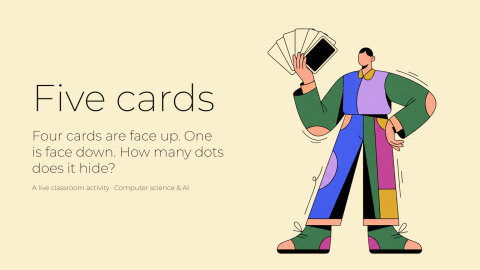
Five cards
A ready-to-teach lesson deck: a hook, how it works, the live activity and takeaways for the debrief.
6 slides · 1 activity
What it teaches
Students find that each card is worth twice the one to its right, so every whole number from 0 to 31 has exactly one pattern of cards face up. They meet the carry, where fifteen becomes sixteen as four cards turn down and one turns up, and read a pattern in one fixed order.
- Binary numbers
- Place value
Debrief, while the boards are still up
- 01
Why does each card need exactly twice the dots of the one to its right? What breaks if the next card had 10?
- 02
Fifteen to sixteen turned four cards down and one up. Where have you seen the same thing with ordinary numbers?
- 03
If many of you read ARE, TIP or ERA, what did those readers do differently? Why does a computer need one fixed reading order?
- 04
How many cards would you need to give every student in this school their own pattern?
- 05
Five cards cover 0 to 31: 32 patterns. Why 32 and not 31?
How it works
- 01
Add it to your library
Sign up free and pull the activity from Decka's built-in classroom catalog — one click copies it into your own library, ready to run from Decka or inside PowerPoint.
- 02
Students join by QR
Everyone scans from the projector and plays in their phone's browser. No app, no account, nothing to install.
- 03
You run the room
You move the activity phase by phase: collection closes, the boards resolve on the big screen, and the debrief happens while the results are still up.
Binary numbers, counted with five cards
Binary writes every number with two symbols. Here the symbols are cards: face up, a card counts its dots, and face down it counts nothing. The cards hold 16, 8, 4, 2 and 1 dots, each twice the card to its right, and that doubling is what makes the code work. Each card is worth one more than every card to its right put together, so every whole number from 0 to 31 has exactly one pattern, and five cards make 32 patterns, counting zero.
The lesson asks four questions on students' phones: how many dots the face-down fifth card has, which cards to turn face up to show eleven, which to show sixteen starting from fifteen, and which word three rows of cards spell. While a question is open, the phone never adds the dots up, so each student works out the total from the cards they turned.
Fifteen to sixteen is the turning point. Fifteen is every small card face up, and adding one leaves nowhere to put it, so the 1, 2, 4 and 8 all turn down and the 16 turns up: the carry, the same move as 9,999 becoming 10,000. When two or more students send the same other pattern, the screen names the commonest one and what it did to the cards, such as turning the 16 up and leaving the rest up, which makes 31.
The message is three rows of the same five cards, A as 1 up to Z as 26, with the dots left off so a card is only face up or face down. The four words on offer are the message and the three real words a misreading gives: each row read backwards, the rows read bottom-up, and both. When the answers close, each misread word gets its note on the screen, so the room's tally shows how it misread rather than who got it wrong.
When each question closes, the screen shows counts only: how many guessed each number, turned each card face up and read each word. Nobody's own answer is shown on it. Try the screen-and-phone preview, where the phone is yours and fictional classmates answer through the same runtime as the lesson.
FAQ
Binary numbers game questions, answered
What do students do on their phones?
They answer four questions: a guess of the fifth card's dots, which cards to turn face up to show eleven, which to show sixteen, and which word the rows of cards spell. Each answer can be changed until its question closes.
Is anyone told they were wrong?
No. The screen shows the room's counts: how many guessed each number, turned each card face up or read each word. Nobody's own answer is shown on it, and nobody is named.
Do I need printed cards?
No. The cards are drawn on the screen and on every phone. If you have them, five large cards with 1, 2, 4, 8 and 16 dots let five volunteers at the front turn them while the room answers.
Can I change the numbers?
Yes. For the two card questions, the cards each starts on and the number it asks for are settings, each a whole number from 0 to 31: eleven, and fifteen to sixteen, by default. A question's two numbers must differ. The cards on the screen and the phones, the answer the screen turns to and every sentence that says the number follow your setting. Keep the second pair one apart, counting up, so it stays a question about adding one: a pair that counts down while turning cards both ways, such as sixteen to fifteen, is not a carry, so it is refused. The message and its four words stay as written.
Where does the five-card activity come from?
Counting in binary with five dot cards is a long-standing classroom activity, best known from CS Unplugged's binary numbers lesson. This version runs it on the room's phones and counts the room's answers on the screen.
How long does it take?
Four questions, each followed by the room's answers, and a closing question on what a sixth card would add; the saved default shows under the headline as "About N min", and every timer is a setting you control before you run it.
Do students need an app or an account?
No. Students scan a QR code from the projector (or open a link) and play in their phone's browser. Nothing to install and nothing to sign up for.
Does it work in PowerPoint or Google Slides?
In PowerPoint, yes: open the Decka add-in on a slide and choose the Classroom tile. Google Slides is not supported yet; there you present from Decka itself. Students play from their phones either way.
How many students can play at once?
Up to 50 participants per live activity on the free plan, 150 on Pro, and 300 on Badass.
Ready to make your
presentations interactive?
Start free. No credit card required.