Classroom · Physics
Fire Newton's cannon. Put it in orbit.
From a tower one Earth radius high, every phone fires a cannon at a speed and an angle of its own and predicts what the shot will do. The room's launches fly together on the big screen, then land as marks that show where crashing, orbiting and escaping divide.
- Up to 600 people
A practice run with fictional students. No real classroom or join code is created.
Try an answer on the phone. Lead the lesson from the screen.
On their phone
You are presenting

Setting up the room…
Lesson deck
Teach it as a ready-made lesson
Hook, how it works, the live activity and takeaways. Edit anything.
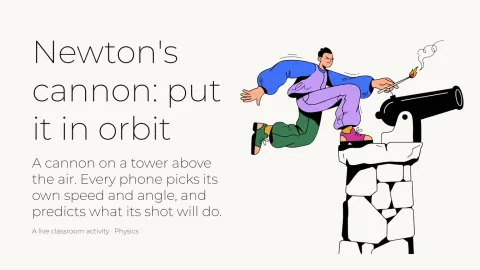
Newton's cannon: put it in orbit
A ready-to-teach lesson deck: a hook, how it works, the live activity and takeaways for the debrief.
6 slides · 1 activity
What it teaches
Students find from their own launches that speed alone decides whether a shot escapes: the escape line is vertical, 7,910 m/s at every angle. They see that the angle changes an orbit's shape but not how long it takes to come back, and that every orbit, the room's and three real satellites', lies on one line: Kepler's third law, T = 2π√(a³/μ).
- Orbital motion
- Kepler's third law
- Scientific models
Debrief, while the boards are still up
- 01
Where did the escape region begin, and why is that line the same at every angle?
- 02
Two cannonballs at the same speed, aimed differently, came home together. What did they share?
- 03
What did a circular orbit need that no other orbit needed?
- 04
A cannonball that is too slow does not “lose its orbit”; it hits the ground. Where does its fall begin?
- 05
The ISS and the GPS satellites sit on the room's line. What does that line say about every orbit?
How it works
- 01
Add it to your library
Sign up free and pull the activity from Decka's built-in classroom catalog — one click copies it into your own library, ready to run from Decka or inside PowerPoint.
- 02
Students join by QR
Everyone scans from the projector and plays in their phone's browser. No app, no account, nothing to install.
- 03
You run the room
You move the activity phase by phase: collection closes, the boards resolve on the big screen, and the debrief happens while the results are still up.
An orbit simulation the whole room fires
The lesson opens on Newton's own thought experiment: a cannon on a tower above the air, fired flat at three speeds. Each shot comes down further round the Earth, and the screen asks how fast it must go never to land. Then every phone sets a speed, from 0 to 12,000 m/s, and an angle above flat, from 0° to 90°, and predicts whether its shot will crash, orbit or escape. When the launches lock, the big screen fires up to 24 of them from the one cannon at once, in model time at one hour every two seconds: some come down, some loop round and come back to the tower, some leave the frame for good. In a bigger room the 24 are a declared sample, spread by speed, and the screen says so.
Then every launch lands as a mark at its speed and angle, shaped and coloured by what happened, and the pen inks the model's two boundaries: the escape line, vertical at 7,910 m/s, and the crash boundary, which starts at 4,567 m/s for a flat shot and meets the escape line at 45°, above which every shot slower than escape comes back down. Beside it, a small table sets what each person predicted against what happened. Only now does each phone show its owner's own result: where the shot went, how high it climbed and how long it took to come back.
Why is the escape line vertical? Whether a shot escapes depends on its energy, and its energy depends only on its speed at the tower, never on its direction: aiming up gives a shot nothing extra. From the tower, two Earth radii from the centre, the escape speed is √(2μ/r) = 7,910 m/s at every angle, which happens to equal the speed of a circular orbit at the ground. The angle decides the shape instead. Round 2 asks for a circle, the same height all the way round, and only a flat shot at the circular speed, √(μ/r) = 5,593 m/s, gives one: aimed up, or a little faster or slower, it becomes an oval.
The finale is Kepler's third law. A board on log scales plots how long each orbit takes to come back against its size, half its long axis, and every orbit of both rounds falls on one line, Newton's T = 2π√(a³/μ), with three real satellites on it too: the ISS, a GPS satellite and a geostationary one, each a dated published value. The room's orbits lie exactly on the line because they are model orbits; the satellites are the evidence. Then the twin shot flies two of the room's launches at one speed, one flat and one aimed up, or the model's own pair where no two match. Their paths look nothing alike, and they come back to the tower together: the same speed is the same energy, so the same size and the same period.
Every number is a model: Newton's gravity around a point-mass Earth, with no air, and the Earth does not spin. From a tower one Earth radius high. No mountain is this tall: Newton imagined one above the air, and the height makes the paths easy to see. The screen shows the room's launches as anonymous marks, and the lesson keeps counts only; each phone is told only its own launch's outcome, once the screen has shown the room's.
Try the screen-and-phone preview, where your phone fires one launch and fictional classmates fire theirs through the same runtime as the lesson; they are illustrative, not observations of a real class. To fire the cannon alone, use the bench above.
FAQ
Newton's cannon and orbits, answered
Is there an orbit simulator students can use on their own?
Yes. The bench on this page, which is also Decka's free orbit simulator, fires the lesson's own cannon from the same tower by the same law: choose a speed and an angle, fire, and the shot flies at the big screen's rate, then lands as a mark on the chart beside the escape line. Earlier shots stay as light trails until you clear them.
What is escape velocity, and why is it the same at every angle?
Escape velocity is the speed at which a shot has enough energy never to come back. At a distance r from Earth's centre it is √(2μ/r), where μ is Earth's gravitational parameter. Energy depends on speed, not direction, so from the lesson's tower, two Earth radii out, it is 7,910 m/s whether the cannon points flat or straight up. That is why the escape line on the board is vertical.
How does the lesson show Kepler's third law?
Its period board plots each orbit's time to come back against its size, half its long axis, on log scales. Kepler's third law says the period squared is proportional to the size cubed, and Newton's gravity gives the constant, T = 2π√(a³/μ), so on log scales every orbit lies on one straight line. The room's orbits fall on it, and so do the ISS, a GPS satellite and a geostationary one.
Why does the tower stand so high?
From a tower one Earth radius high. No mountain is this tall: Newton imagined one above the air, and the height makes the paths easy to see. From a real mountain, the shots that miss the ground would hug it in thin slivers, too close to tell apart on a projector.
Does the model include air or the Earth's spin?
No. It is Newton's gravity around a point-mass Earth, with no air, and the Earth does not spin, and every screen that shows a model number says so. So a shot that misses the ground keeps going round for ever, which no real cannonball would.
Does anyone see my launch?
The big screen shows the room's launches as anonymous marks, never names, and the lesson keeps counts only. Each phone shows only its owner's own launch, and its outcome only once the screen has shown the room's, so nobody can change their numbers after seeing how the shot did.
How long does it take?
Newton's shot, two rounds of launches with a volley after each, and the twin shot; the saved default shows under the headline as "About N min", and every timer is a setting you control before you run it.
Do students need an app or an account?
No. Students scan a QR code from the projector (or open a link) and play in their phone's browser. Nothing to install and nothing to sign up for.
Does it work in PowerPoint or Google Slides?
In PowerPoint, yes: open the Decka add-in on a slide and choose the Classroom tile. Google Slides is not supported yet; there you present from Decka itself. Students play from their phones either way.
How many students can play at once?
Up to 50 participants per live activity on the free plan, 150 on Pro, and 300 on Badass.
Ready to make your
presentations interactive?
Start free. No credit card required.