Classroom · Physics
Which pushes harder: the lorry or the car?
Every student votes alone on one collision question, then finds someone who chose differently and argues it out. The room votes again with the first tally taken down and no answer given in between, and only the second vote is marked on the projector.
- Up to 600 people
- About 7 min
- 2 acts
A practice run with fictional students. No real classroom or join code is created.
Try an answer on the phone. Lead the lesson from the screen.
On their phone
You are presenting

Setting up the room…
Lesson deck
Teach it as a ready-made lesson
Hook, how it works, the live activity and takeaways. Edit anything.
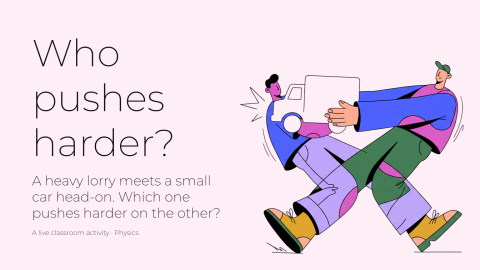
Who pushes harder?
A ready-to-teach lesson deck: a hook, how it works, the live activity and takeaways for the debrief.
6 slides · 1 activity
What it teaches
Students commit to an answer alone, test it against a classmate who disagrees, and meet Newton's third law in a collision: the lorry and the car push on each other exactly as hard, and equal force does not mean equal acceleration (a = F/m).
- Newton's third law
- Force and acceleration
Debrief, while the boards are still up
- 01
What changed between the votes, and which argument mattered?
- 02
If the forces are equal, why does the car come off worse?
- 03
Did anyone switch to a wrong answer? What made that argument convincing?
- 04
Which everyday words, such as “hit harder” or “stronger”, pulled people toward the lorry?
How it works
- 01
Add it to your library
Sign up free and pull the activity from Decka's built-in classroom catalog — one click copies it into your own library, ready to run from Decka or inside PowerPoint.
- 02
Students join by QR
Everyone scans from the projector and plays in their phone's browser. No app, no account, nothing to install.
- 03
You run the room
You move the activity phase by phase: collection closes, the boards resolve on the big screen, and the debrief happens while the results are still up.
What is peer instruction?
Peer instruction, the method Eric Mazur developed for introductory physics at Harvard, asks a conceptual question, collects each student's answer alone, has students convince a neighbour who answered differently, and asks again before anyone explains. Crouch and Mazur's report on its first ten years there is the standard reference.
Decka runs it on phones. The first tally goes up for the discussion and comes down before the second vote, nobody is told how any one person voted, and the answer appears only after both votes, marked on the second tally.
The question is Newton's third law in a collision: the lorry and the car push on each other exactly as hard. What differs is what that push does to each, because equal force on a much smaller mass gives a much larger acceleration.
FAQ
Peer instruction questions, answered
What is peer instruction?
A way of teaching in which students answer a conceptual question on their own, discuss it with someone who answered differently, and answer again before anyone explains it.
When is the answer revealed?
Only after the second vote closes. The final board marks the correct answer on the second tally and leaves the first one unmarked.
Do students see how others voted?
They see the room's tallies. Nobody is told how any one person voted.
Does discussion always help?
No. Crouch and Mazur found it pays most when the first vote is split, and adds little when nearly everyone already has it right or too few do.
How long does it take?
Two votes and a discussion; the saved default shows under the headline as "About N min", and every timer is a setting you control before you run it.
Do students need an app or an account?
No. Students scan a QR code from the projector (or open a link) and play in their phone's browser. Nothing to install and nothing to sign up for.
Does it work in PowerPoint or Google Slides?
In PowerPoint, yes: open the Decka add-in on a slide and choose the Classroom tile. Google Slides is not supported yet; there you present from Decka itself. Students play from their phones either way.
How many students can play at once?
Up to 50 participants per live activity on the free plan, 150 on Pro, and 300 on Badass.
More physics activities to run live
Ready to make your
presentations interactive?
Start free. No credit card required.